
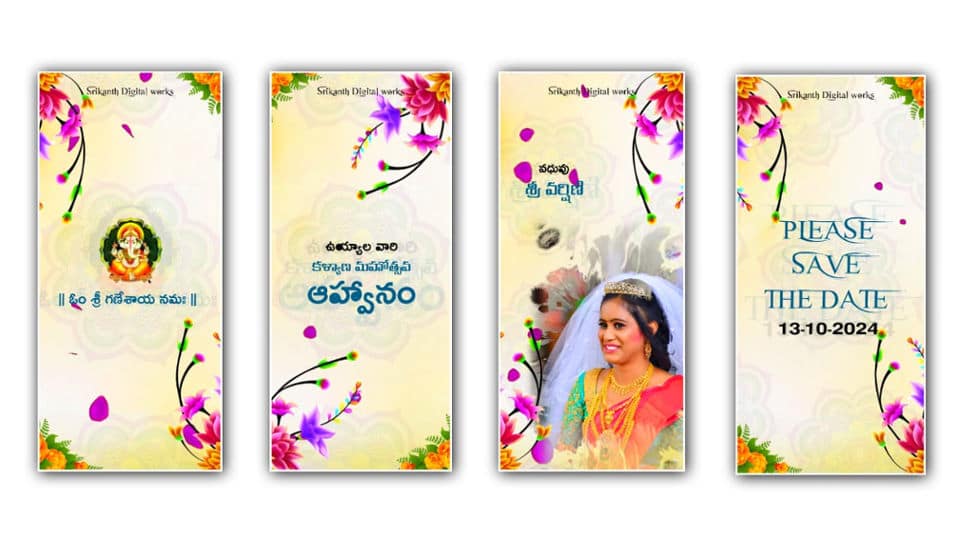
Creating a beautiful Telugu wedding invitation video has become a popular trend, especially with mobile editing apps like Alight Motion. With its powerful features such as keyframe animation, visual effects, and layer editing, you can design a professional full-screen wedding invite right from your phone. This tutorial will guide you step-by-step on how to create an attractive Telugu wedding invitation video using Alight Motion.
First, open Alight Motion and create a new project. Choose a full-screen ratio such as 9:16 (1080×1920), which is perfect for sharing on WhatsApp, Instagram, or YouTube Shorts. Set the background color or import a traditional wedding-themed background, like floral patterns, temple designs, or subtle gradients in gold and red tones that reflect Telugu culture.
Next, add text layers for the wedding details. Start with a welcoming line such as “శుభముహూర్తం” or “మా వివాహ ఆహ్వానం.” Use stylish Telugu fonts to give an elegant and cultural look. Adjust font size, spacing, and alignment to make sure everything is clearly visible. Then, add the names of the bride and groom. You can animate these texts using keyframes—apply fade-in, slide-up, or zoom effects to make them appear smoothly.
After that, include important details such as date, time, and venue. Keep the text organized and not too cluttered. You can use different font styles or colors to highlight each section. Add decorative elements like mandala designs, flower PNGs, or light particles to enhance the visual appeal. Import these elements as image layers and position them around the text.
Now it’s time to add animations. Select each layer and use keyframes to create motion. For example, you can make flowers slowly rotate or text gently move into the frame. Use easing options (ease in and ease out) for smooth transitions. Alight Motion also offers effects like glow, blur, and shadow—apply these subtly to give a premium feel.
Music plays a crucial role in wedding invitation videos. Import a soft Telugu instrumental or a traditional wedding song. Trim the audio to match the video duration and sync key moments, like text appearance, with the beats of the music. This makes the video more engaging and emotional.
To make the video more cinematic, add transitions between scenes. You can split your content into sections like introduction, couple names, and event details. Use simple transitions like fade or dissolve to maintain elegance.
Finally, preview your video and make necessary adjustments. Ensure that the text is readable, animations are smooth, and the timing matches the music. Once satisfied, export the video in high quality (1080p) for the best results.
In conclusion, creating a full-screen Telugu wedding invitation video in Alight Motion is easy and fun if you follow the right steps. With creativity, proper use of animations, and traditional design elements, you can make a stunning invitation that impresses your family and friends.
