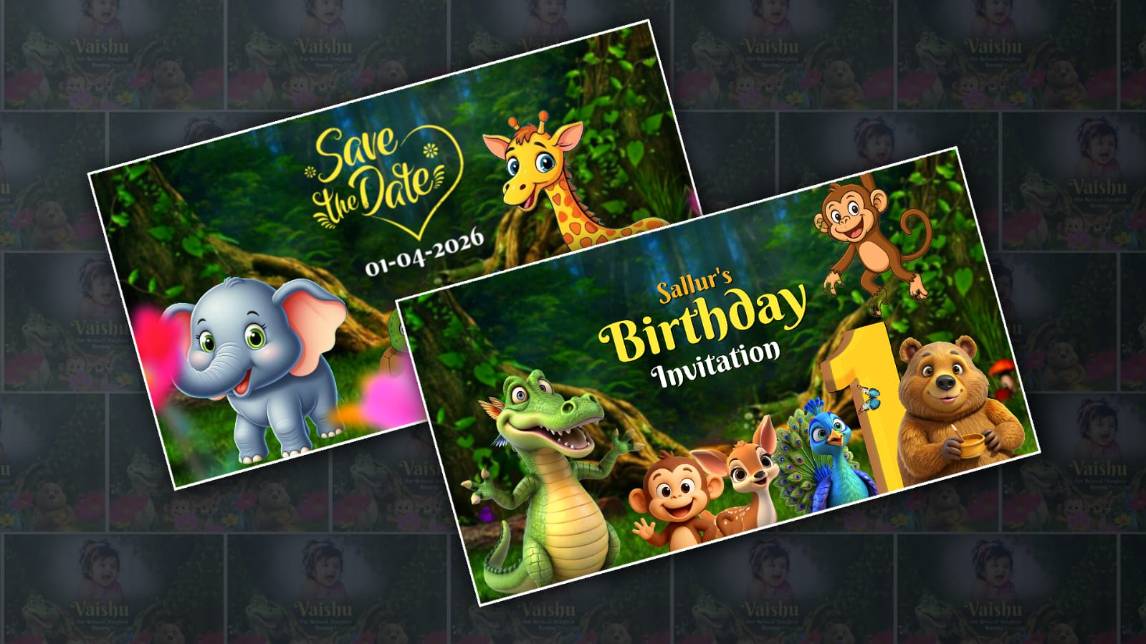
Creating a beautiful first birthday invitation is a special way to celebrate your child’s milestone, and a 3D jungle theme adds a fun, lively, and memorable touch. With Alight Motion, you can design a professional-looking invitation video right from your phone. The process may seem complex at first, but with a bit of creativity and patience, you can achieve stunning results.
Understanding the Concept and Theme
Before you begin editing, it’s important to visualise your jungle theme. Think about elements like green forests, cute animals, leaves, vines, and warm earthy tones. A jungle theme works best when it feels vibrant and playful, so choosing the right colour palette and characters is essential. Decide whether you want a cute cartoon jungle or a slightly realistic 3D look, as this will guide your design choices throughout the process.
Setting Up Your Project in Alight Motion
Start by opening Alight Motion and creating a new project with a suitable resolution, ideally 1080×1920 for a vertical video. Choose a background that reflects a jungle environment, such as leafy textures or a soft gradient in green shades. Import PNG images of jungle animals like lions, elephants, monkeys, and giraffes. Make sure these images are high quality so the final video looks clean and professional.
Creating the 3D Effect
To achieve a 3D look, layering is key. Place different elements like trees, leaves, and animals on separate layers and adjust their positions to create depth. Use the move and transform tools to slightly offset each layer. Alight Motion’s camera and perspective tools can help enhance this effect, making objects appear closer or farther away. Adding shadows and subtle blur also improves the depth and gives a more realistic 3D feel.
Adding Text and Invitation Details
Your invitation message should be clear and attractive. Include details like the child’s name, birthday date, time, and venue. Choose fonts that match the jungle theme, such as playful or handwritten styles. Animate the text using simple transitions like fade-in, slide, or bounce effects. Keep the timing smooth,h so each piece of information appears naturally without overwhelming the viewer.
Enhancing with Animation and Effects
Animations bring your invitation to life. You can make animals gently move, leaves sway, or elements pop onto the screen. Use keyframes in Alight Motion to control these movements. Adding light effects, glow, and soft transitions can make the video more engaging. Background music, such as cheerful jungle sounds or kids’ tunes, adds emotion and makes the invitation feel complete.
Final Touch and Export
Once everything is in place, review your video carefully. Check for alignment, timing, and overall flow. Make small adjustments where needed to ensure a smooth and polished result. Export the video in high quality, preferably in MP4 format with good resolution settings.
Creating a 3D jungle theme first birthday invitation in Alight Motion is a creative and rewarding experience. With the right combination of visuals, animation, and thoughtful design, you can make a unique invitation that leaves a lasting impression on your guests and beautifully celebrates your child’s special day.