
📚 Table of Contents
-
Introduction
-
Why Photo Editing Is Big Among Youth During Ganesh Chaturthi
-
Capturing the Right Ganesh Chaturthi Moments
-
Choosing the Right Photo Editing Tools
-
Editing Basics Every Beginner Should Know
-
Top Editing Styles That Attract Youth
-
Trendy Elements to Use in Youthful Edits
-
Text, Typography & Festival Wishes
-
Using Overlays and Festival Stickers
-
Social Media Formats & Sharing Tips
-
Mistakes to Avoid in Festival Edits
-
Step-by-Step Example: Editing a Ganesh Photo (Youth Style)
-
Best Apps for Ganesh Chaturthi Edits in 2025
-
Conclusion
1. Introduction
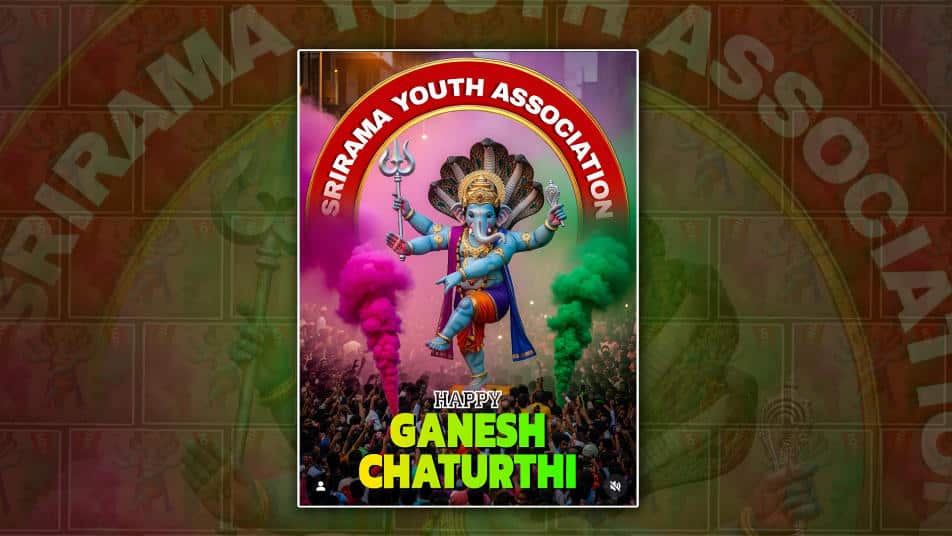
Ganesh Chaturthi is more than a religious festival—it’s a celebration of colour, creativity, and community. Today’s youth love expressing their devotion not just through rituals, but also through photo editing—turning memories into digital artworks.
Whether it’s a click with the Ganpati idol, a family portrait during the aarti, or a solo photo in ethnic attire, a well-edited picture can enhance the vibe and emotions of the celebration.
This guide will walk you through everything you need to know to create the best youthful Ganesh Chaturthi photo edits—full of energy, vibrancy, and modern style.
2. Why Photo Editing Is Big Among Youth During Ganesh Chaturthi
For Gen Z and millennials, Ganesh Chaturthi isn’t complete without a social media post or story. Editing photos before posting allows them to:
-
Add a personal touch to festival photos
-
Express their creative style
-
Make content stand out in a crowded feed
-
Combine traditional emotion with modern aesthetics
It’s not just about adding filters. It’s about storytelling.
3. Capturing the Right Ganesh Chaturthi Moments
Before editing, you need the right photo. Some ideas:
-
Ganpati Idol Close-up: Focus on the deity’s eyes or decorations.
-
Youth in Ethnic Wear: Clicking selfies or portraits in kurtas/sarees.
-
Aarti in Action: Capture the flame, hands, and expressions.
-
Modak & Food Moments: Click pics of festive food beautifully arranged.
-
Group Photos: Show family and friends enjoying together.
Tips:
-
Use natural light during day pujas.
-
Try portrait mode for the bokeh effect.
-
Always take multiple angles.
4. Choosing the Right Photo Editing Tools
There are plenty of tools to make your edits stand out. You can pick depending on your skill level and device.
🖥️ Desktop Software:
-
Adobe Photoshop: Professional-level editing.
-
Lightroom: Great for enhancing colour and contrast.
-
GIMP: Free alternative to Photoshop.
📱 Mobile Apps:
-
PicsArt: Best for stickers, text, and overlays.
-
Snapseed: Great for colour and detail enhancements.
-
Lightroom Mobile: For advanced lighting and colour adjustments.
-
Canva: Easy drag-and-drop for social media-ready posts.
5. Editing Basics Every Beginner Should Know
✅ Step-by-step:
-
Crop & Straighten: Remove unnecessary space and align the photo.
-
Adjust Brightness & Contrast: Make it pop.
-
Enhance colours: Increase saturation and vibrancy.
-
Sharpen Details: Especially eyesjewelleryry, and idol features.
-
Reduce Noise: If taken in low light.
These small tweaks lay the foundation for an amazing edit.
6. Top Editing Styles That Attract Youth
Younger audiences love dynamic, bold edits. Some popular styles include:
1. Neon Glows
-
Add neon halos around Ganesh or a person.
-
Use bright outlines to highlight.
2. Festival Light Overlays
-
Use bokeh lights, firecracker effects, or diya glows.
3. Colour Splash Effect
-
Keep Ganesha or the subject in colour, background in black and white.
4. Cartoon or 3D Look
-
Use apps to convert into digital paintings or cartoon versions.
5. Minimalist Edits
-
Just enhanced colours with one Sanskrit quote or text.
7. Trendy Elements to Use in Youthful Edits
To make your edits youthful and exciting:
-
Mandala Brushes
-
Ganpati Trunk Outlines
-
Flower Petal Overlays
-
Emoji Stickers (🔥 🙏 🎉)
-
Brush stroke backgrounds
-
Lens flares on corners
These add creativity without cluttering the image.
8. Text, Typography & Festival Wishes
No Ganesh Chaturthi edit is complete without a festive message.
📌 Popular Text Ideas:
-
“Ganpati Bappa Morya!”
-
“Blessed by Bappa”
-
“My Protector, My Lord”
-
“Ganesh Chaturthi Vibes Only”
✍️ Typography Tips:
-
Use decorative fonts like Pacifico, Great Vibes, or Lobster.
-
Apply gradient fills or gold foil textures.
-
Place text at the corners or in the space of the image.
9. Using Overlays and Festival Stickers
Overlays are transparent images added on top of your photo.
🎨 Ideas for Ganesh Chaturthi:
-
Marigold garlands
-
Firecracker sparks
-
Decorative torans (festival hangings)
-
Sparkling backgrounds
You can download PNG overlays from free sites like Pngtree, Freepik, or use in-app libraries in PicsArt or Canva.
10. Social Media Formats & Sharing Tips
📸 Instagram:
-
Stories: 1080×1920 pixels
-
Posts: 1080×1080 pixels
🪄 Facebook:
-
Feed: 1200×630
-
Cover photo: 820×312
🧠 Tips:
-
Add hashtags like #GaneshChaturthi, #YouthEdits, #BappaStyle
-
Tag friends or community pages for more visibility
-
Add music to Instagram Stories or Reels
11. Mistakes to Avoid in Festival Edits
-
❌ Over-editing: Avoid over-sharpening or too many filters.
-
❌ Clutter: Don’t crowd the image with too many elements.
-
❌ Low resolution: Export in high-quality for clear visuals.
-
❌ Disrespectful icons: Never use humorous or inappropriate elements near the deity.
Keep the spirit respectful, joyful, and aesthetic.
12. Step-by-Step Example: Editing a Ganesh Photo (Youth Style)
Let’s walk through a simple example using PicsArt:
Step 1: Upload Photo
-
Choose a close-up of you beside the idol.
Step 2: Adjust
-
Brightness +20, Contrast +15, Saturation +20
Step 3: Add Overlay
-
Add a bokeh light overlay and set to “Screen” mode.
Step 4: Add Text
-
“Ganpati Bappa Morya” with gradient orange-red font.
Step 5: Stickers
-
Add a diya sticker near the bottom and a modak emoji at the top corner.
Step 6: Final Touch
-
Apply the “Golden Hour” filter for a warm glow.
13. Best Apps for Ganesh Chaturthi Edits in 2025
| App Name | Best Feature | Platform |
|---|---|---|
| PicsArt | Stickers, overlays, text editing | Android/iOS |
| Lightroom | Advanced lighting/colour adjustments | Android/iOS/Desktop |
| Snapseed | Selective edits and tools | Android/iOS |
| Canva | Templates for social media | Android/iOS/Web |
| PhotoRoom | Background remover, studio effect | Android/iOS |
Choose based on your edit type and time!
14. Conclusion
Ganesh Chaturthi is a time for devotion, community, and creativity. For today’s youth, photo editing has become a modern art form—a way to celebrate the divine with style, emotion, and technology.
With the right tools and ideas shared above, you’re now ready to create eye-catching, respectful, and energetic edits that stand out in your feed and honour Bappa beautifully.
