
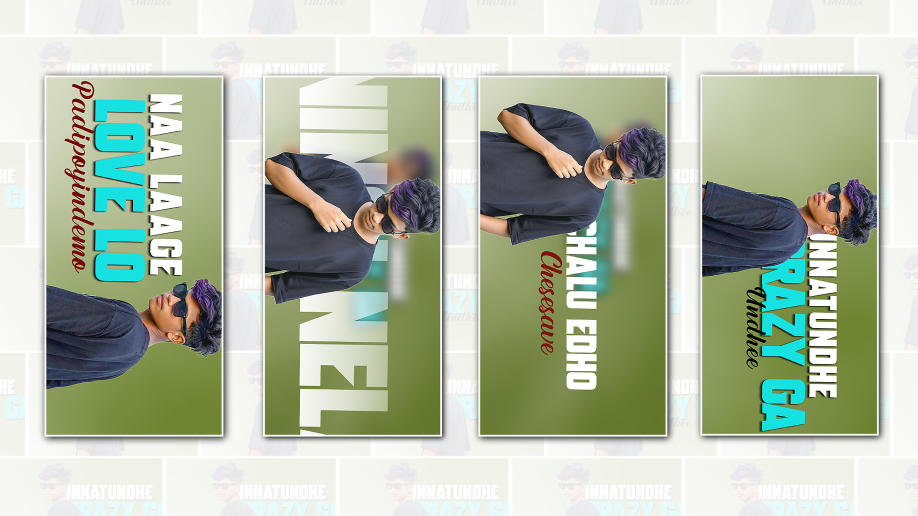
If you’ve been scrolling through TikTok, Instagram, or YouTube lately, you’ve probably noticed how beat-making videos are blowing up. Short clips of producers cooking up fire beats, adding smooth transitions, glowing visualizers, and perfectly synced effects are getting millions of views. The crazy part is, many of these viral edits aren’t made on expensive software. A lot of creators are using Alight Motion right from their phones. If you’ve been wondering how to create a trending beat-making video in Alight Motion for your blog audience or your own content, let’s break it down in a real, practical way.
First, understand what makes a beat-making video “trending.” It’s not just about the beat. The sound matters, of course, but the visual storytelling is what stops people from scrolling. When someone watches a producer tap in drums, layer melodies, and drop the bass, they want to feel the build-up. Trending videos usually show the process in a fast, clean, and satisfying way. The screen recording is crisp, the cuts are sharp, the transitions hit on the beat, and there’s always some kind of visual energy that matches the music. That’s exactly what you’ll recreate using Alight Motion.
Before you even open the app, start with your beat. Make something that has a clear structure: intro, build-up, and drop. It doesn’t need to be complicated. In fact, simple beats with hard-hitting drums often perform better on short-form platforms. Once your beat is ready, export it in high quality. Then screen record the process of you making it. If you’re using a DAW on your phone or even recording from your computer screen, make sure the recording is smooth and clear. Viewers love seeing the actual workflow, whether it’s tapping pads, drawing in melodies, or adjusting the mixer.
Now open Alight Motion and create a new project. Choose the right aspect ratio depending on where you plan to post. For TikTok and Instagram Reels, go with the 9:16 vertical format. For YouTube Shorts, it’s the same. Resolution should ideally be 1080p with 60fps if your phone supports it. Higher frame rate makes motion effects and transitions look smoother, and that smoothness is a big part of what makes edits feel professional.
Import your screen recording and your final beat audio. Even if your screen recording already includes the sound, it’s better to mute it and use the exported high-quality audio file. Syncing clean audio will instantly upgrade your video quality. Drag the audio into the timeline and line up the drop or key moments. Zoom into the timeline and look at the waveform. This is where the magic begins. Trending beat edits often use beat markers. In Alight Motion, you can manually mark where the kick or snare hits by splitting clips right on those peaks in the waveform.
Once your clips are cut to match the rhythm, start adding motion. Select a clip and use keyframes to create subtle zoom-in and zoom-out effects. For example, when the kick hits, add a slight zoom-in. When the snare hits, maybe zoom out quickly. Keep it subtle. Overdoing Zoom can make the video feel messy. The key is rhythm. Every movement should feel connected to the sound. When visuals move with the beat, viewers feel it, even subconsciously.
Another trick trending creators use is velocity edits. This means changing the speed of your clip to create a fast-slow effect that matches the build-up of the beat. In Alight Motion, you can adjust the speed by splitting the clip and changing the duration. For build-ups, speed up the screen recording slightly, then right before the drop, slow it down for dramatic tension. When the beat drops, return to normal speed with a sharp cut. This contrast creates impact and keeps viewers hooked.
Effects are important, but they should enhance the beat, not distract from it. Alight Motion has built-in effects like blur, glow, shake, and colour adjustments. A slight shake effect on heavy 808 hits can add energy. A glow effect on the screen during the drop can make it feel more powerful. Just remember that trending edits usually look clean. Too many flashy effects can make your video look amateur. Focus on timing over quantity. Colour grading is another detail that separates average edits from viral ones. MManbeat-makingvideos use darker backgrounds with vibrant highlights. You can adjust brightness, contrast, and saturation inside Alight Motion. If your screen recording looks flat, boost contrast slightly and increase saturation just a little to make the interface pop. Some creators also add a subtle vignette around the edges to focus attention on the centre of the screen.
Text plays a huge role in grabbing attention. When someone is scrolling, the first thing they read can decide whether they stop or not. Add bold text at the beginning, like “Making a Hard Trap Beat from Scratch” or “Wait for the Drop.” Animate the text with keyframes. Make it slide in quickly and disappear right before the beat drops. Syncing text animations with the music creates a professional feel. Use clean fonts and avoid overcrowding the screen.
One trending style is showing each layer as it’s added. For example, when you add hi-hats, quickly flash a text that says “Hi-Hats.” When the melody comes in, show “Melody.” These quick labels help viewers follow the process and make the video more engaging. It also subtly educates beginners, which increases watch time because they’re learning something while enjoying the music.
Transitions between clips should feel invisible. Instead of random flashy transitions, use simple cuts on the beat. Hard cuts often look better than complex transitions. If you want something smoother, try a quick blur transition by keyframing the blur effect at the end of one clip and reducing it at the start of the next. Keep it fast and synced with the rhythm.
Don’t forget about pacing. Trending videos rarely drag. If a section feels boring, cut it out. You don’t need to show every step of the beat-making process. Show the most satisfying parts. Viewers love watching drum patterns being placed quickly, melodies coming together, and the final drop. Trim unnecessary pauses or mistakes. The final video should feel tight and energetic.
Sound design inside the edit can also help. Some creators add subtle risers or impact sounds right before the drop to increase tension. Make sure these don’t overpower your beat. They should support it. Layer them at low volume and align them perfectly with the drop.
Once your edit is complete, preview it multiple times. Watch it as if you’re a random viewer. Does it grab attention in the first three seconds? Does the drop feel satisfying? Are there any awkward cuts? Small refinements can make a big difference. Export in the highest quality possible. In Alight Motion, choosea high bitrate for clearer visuals.
Posting strategy matters too. On platforms like TikTok and Instagram, consistency is key. Use relevant hashtags related to beat-making and music production. Engage with comments and reply quickly. The algorithm often pushes videos that get fast engagement. On YouTube Shorts, titles and descriptions still matter. Keep them simple but clear.
Also study what’s already working. Spend time analysing trending beat videos on TikTok or Instagram. Notice how long they are, how they start, when the drop happens, and what kind of effects they use. Don’t copy directly, but understand the pattern. Trends usually follow a formula, and once you understand that formula, you can add your own twist.
Most importantly, be authentic. Viewers can tell when someone genuinely enjoys making music. Show your personality, even if it’s just through text or small reactions in the video. Some creators add a quick face cam reaction at the drop, which makes the content more relatable. If you’re comfortable, try it. Human connection often turns viewers into followers.
Creating a trending beat-making video in Alight Motion isn’t about having the most advanced tools. It’s about timing, rhythm, and storytelling. When visuals move with the beat, and the edit feels smooth and intentional, people notice. With practice, your edits will get better and faster. The more you experiment with keyframes, speed changes, and sync techniques, the more confident you’ll become.
At the end of the day, remember that trends change, but quality never goes out of style. Focus on clean editing, strong beats, and engaging presentation. Stay consistent, keep learning from each upload, and don’t be afraid to try new styles. One viral video can change everything, but even before that happens, every video you make is building your skill and your brand.
