
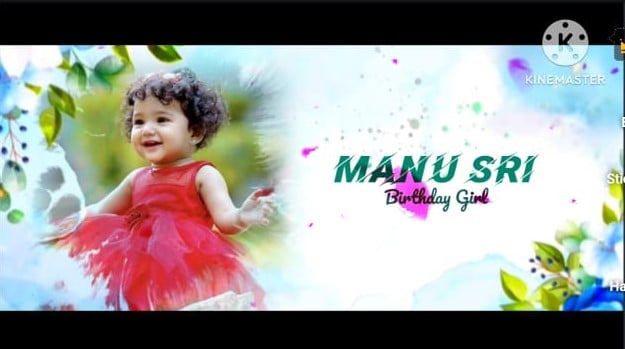
Introduction to Creating a Memorable First Birthday Invitation Video
A baby’s first birthday is one of the most emotional and joyful milestones for any family. It marks twelve beautiful months of growth, laughter, sleepless nights, and unforgettable memories. Creating a 1st birthday invitation video is a modern and heartfelt way to invite friends and family to celebrate this special day. Unlike traditional paper invitations, a video invitation allows you to showcase your baby’s cutest photos, short video clips, and sweet background music that captures the spirit of the celebration. In this tutorial, I will guide you step by step on how to create a professional yet heartwarming first birthday invitation video that feels personal, polished, and truly unforgettable.
Planning Your Invitation Video Concept
Before opening any editing software, take a few minutes to plan your concept. Think about the theme of your baby’s birthday party, whether it is animals, cartoons, pastel colors, superheroes, or a simple elegant celebration. Having a clear idea of your theme will help you choose matching colors, fonts, music, and visual elements. Decide whether your invitation video will be playful and colorful or soft and emotional. Planning also includes deciding how long your video should be, which ideally is between 30 seconds to one minute to keep it engaging. When you start with a clear vision, the editing process becomes much smoother and more enjoyable.
Choosing the Right Video Editing Software
Selecting the right editing tool plays an important role in creating a professional-looking invitation. Beginners can use simple mobile apps like CapCut or InShot, which offer user-friendly interfaces and ready-made templates. If you prefer editing on a computer with more advanced features, you can try Adobe Premiere Pro or Final Cut Pro. The key is to choose a platform you feel comfortable using. Even simple apps today provide transitions, animations, text effects, and music libraries that are more than enough to create a stunning birthday invitation video.
Gathering Photos and Video Clips
The heart of a first birthday invitation video lies in the memories you include. Start by collecting high-quality photos from your baby’s newborn days up to the present month. Include milestone moments such as the first smile, first crawl, first steps, or funny expressions that always make you laugh. Short video clips can make the invitation even more lively and emotional. Make sure all media files are clear and properly lit to maintain a professional appearance. Organize them in chronological order if you want to show growth over time, or simply choose the cutest moments that match your theme.
Setting Up Your Project and Timeline
Once you open your editing software, begin by setting the correct video dimensions. For sharing on platforms like Instagram or WhatsApp, vertical format works best, while horizontal format is ideal for TV or email sharing. Create a timeline and start arranging your photos and clips in the order you planned. Keep each image on screen for about three to four seconds so viewers have enough time to enjoy it without feeling rushed. A smooth flow from one scene to another makes your invitation look professionally edited rather than randomly assembled.
Adding Background Music for Emotional Impact
Music plays a powerful role in setting the mood of your invitation video. For a cheerful celebration, choose an upbeat and playful track. For a sentimental feel, go with a soft instrumental or lullaby-style background song. Many editing apps provide royalty-free music libraries that you can use safely. Make sure the volume of the music does not overpower any text or voiceover you include. The music should enhance the visuals, not distract from them. When chosen carefully, the right soundtrack can turn a simple slideshow into a heart-touching invitation that brings smiles even before the party begins.
Designing Beautiful Text Animations
Your invitation video must clearly display essential party details such as the baby’s name, turning age, date, time, and venue. Use clean and readable fonts that match your theme. Soft pastel fonts work well for elegant themes, while bold and colorful fonts are perfect for cartoon or playful parties. Avoid using too many different font styles, as this can make the video look cluttered. Animate the text gently with fade-ins or slide effects rather than overly dramatic transitions. A professional invitation video balances creativity with readability, ensuring guests can easily understand the event details.
Using Transitions and Effects Wisely
Transitions connect one photo or clip to the next, and when used properly, they make your video flow smoothly. Simple transitions such as fade, dissolve, or slide usually work best for birthday invitation videos. Avoid excessive flashy effects that may distract from your baby’s photos. Subtle overlays like balloons, confetti, or sparkles can enhance the celebratory vibe without overwhelming the screen. The goal is to keep the focus on your child while adding just enough decorative elements to reflect the festive mood.
Including a Personal Message or Voiceover
To make the invitation extra special, consider adding a short personal message. This could be a sweet note from the parents expressing gratitude and excitement, or even a playful message written as if it is coming from the baby. If you feel comfortable, record a voiceover inviting guests to join the celebration. Hearing a parent’s voice can add warmth and authenticity to the video. Keep the message short and heartfelt. Personal touches like this transform a simple digital invite into a cherished memory.
Finalizing and Exporting the Video
After completing your edits, watch the entire video carefully to check for spelling mistakes, timing issues, or uneven audio levels. Ensure that all event details are correct and clearly visible. Once satisfied, export the video in high resolution, preferably 1080p, to maintain quality when sharing. Most editing apps offer optimized export settings for social media and messaging platforms. Choose the appropriate file size that balances quality and easy sharing. A crisp and clear final output reflects the effort and love you put into creating the invitation.
Sharing Your Invitation with Loved Ones
When your video is ready, share it with family and friends through messaging apps, email, or social media platforms. Sending a digital invitation allows instant delivery and quick RSVP responses. You can also upload the video as a private link for guests to view anytime. Make sure to send it at least two to three weeks before the party so guests have enough time to plan their attendance. The excitement your video generates will set the tone for a joyful and well-attended celebration.
Final Thoughts on Creating a First Birthday Invitation Video
Creating a 1st birthday invitation video may seem challenging at first, but with proper planning and creativity, it becomes a fun and rewarding experience. This project is not just about inviting guests; it is about celebrating a year full of precious memories. By choosing the right software, organizing meaningful photos, adding beautiful music, and presenting clear event details, you can design a professional and heartwarming invitation that everyone will love. Most importantly, enjoy the process. One day, when you look back at this video, it will remind you of how tiny your little one once was and how much love surrounded their very first birthday celebration.
💠All Materials Click Here

Kartheek